For aerodrome managers
Addresses, hangar spaces, drone requests. In one place.
Aerodrome Helper is the working tool of the aerodrome manager. Built at Bad Ragaz aerodrome (LSZE) and in use there every day.
New: the drone portal – drone pilots file their own requests ›
Addresses
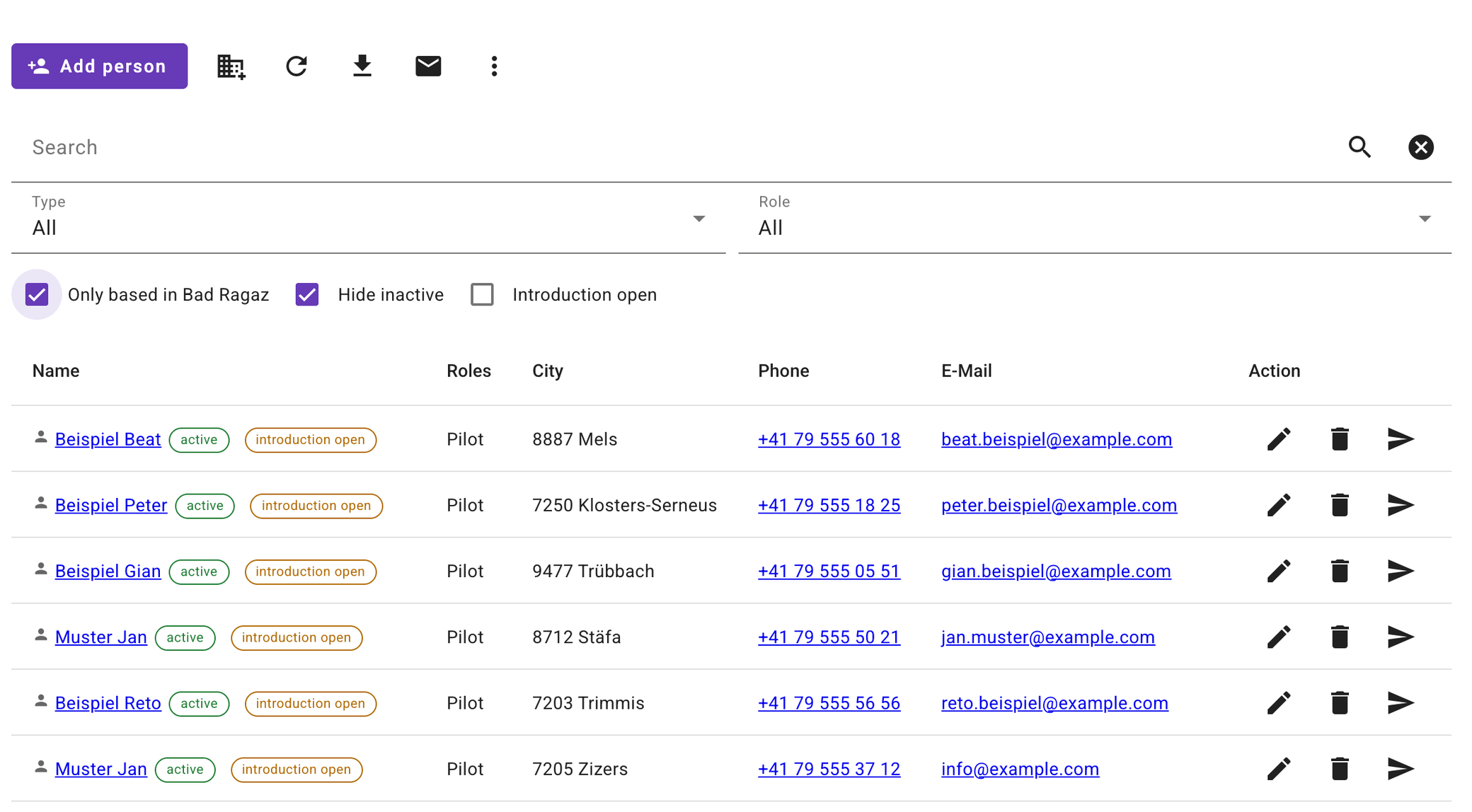
Everyone who belongs to the aerodrome
Pilots, instructors, friends of the aerodrome, neighbours, clubs and companies in one list – with everything you need for a circular or a phone call.
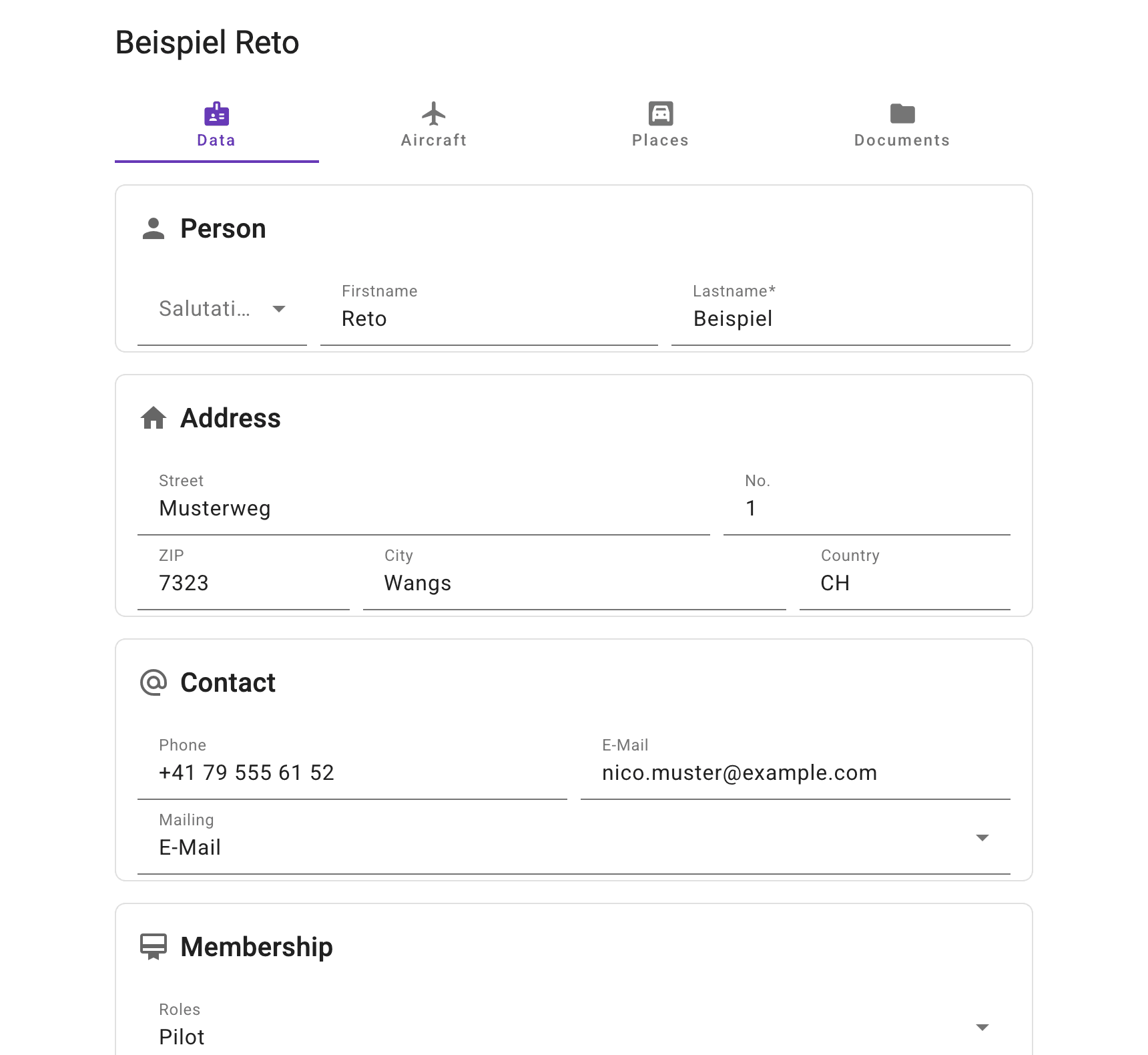
One address, everything with it
Each address shows which aircraft belong to it, which spaces it occupies and which documents are on file.
- Roles and filters the browser remembers
- Circular e-mail to all filtered addresses, recipients in BCC
- Export of the list to Excel
Self-disclosure by link
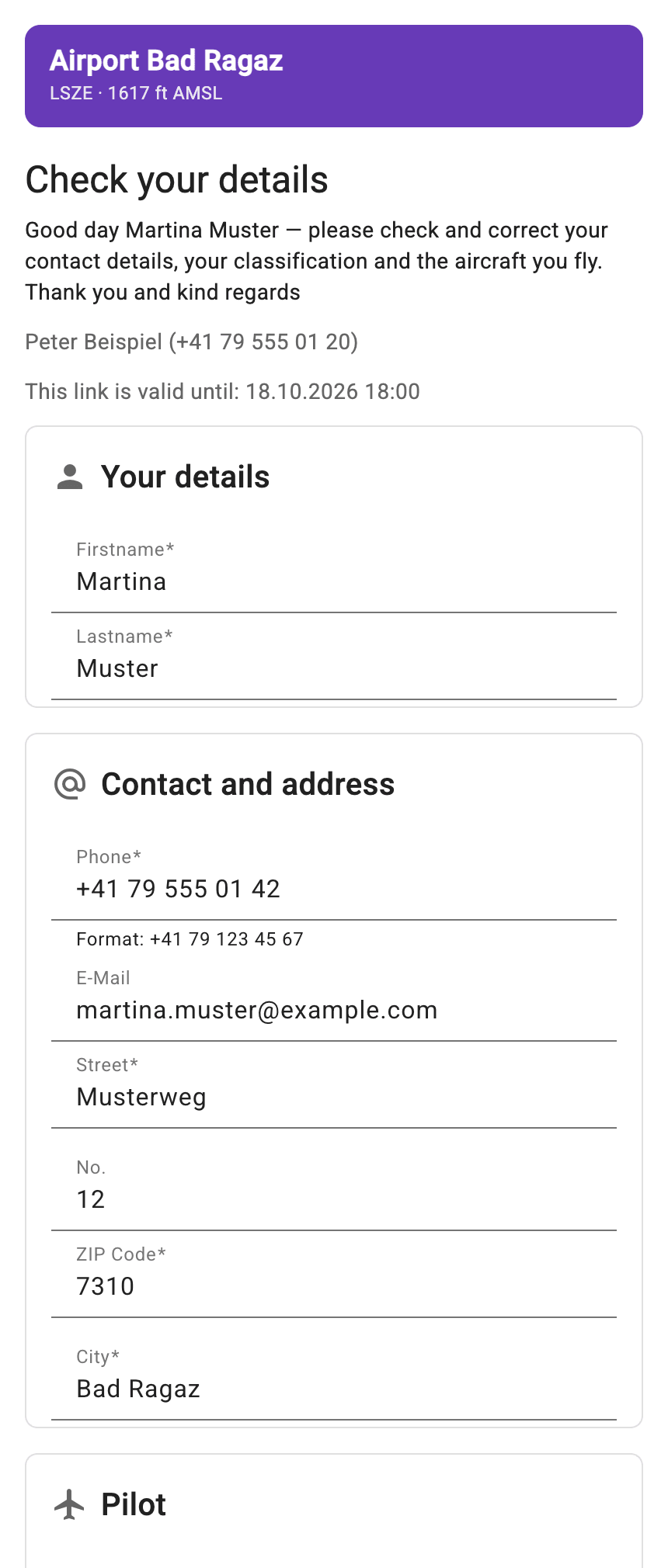
You send a link, the person checks their own details and reports changes. You see what has changed and accept it.
Occupancy
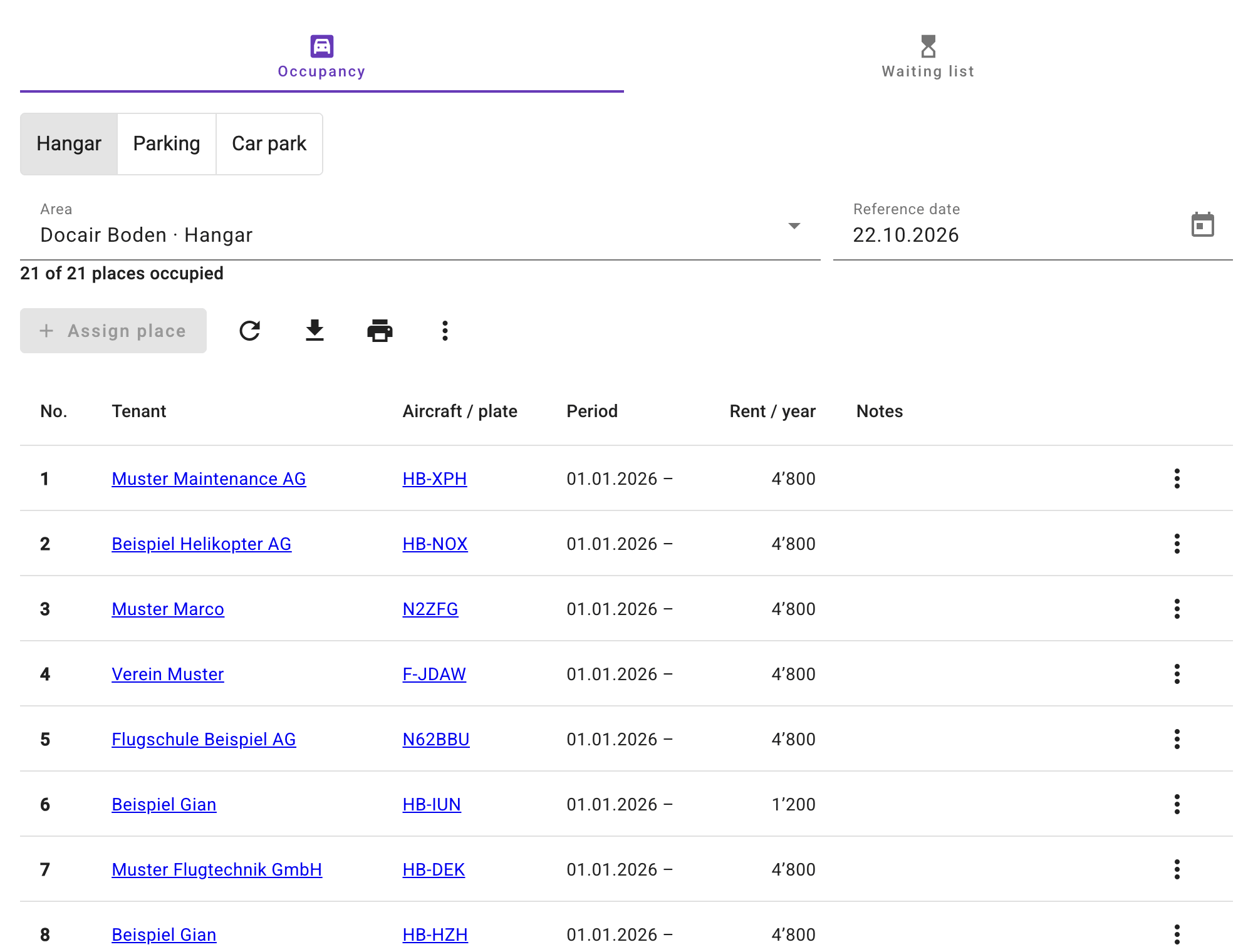
Who is parked where – today and on any reference date
Hangar, outdoor parking and car parking with tenant, aircraft, period and rent.
Every space at a glance
Free spaces are shown as free, rentals ending soon are marked. Another date shows the occupancy back then or later.
- Assign with tenant, aircraft, period and rent
- Subletting and history per space
- Excel export and print view
Waiting list
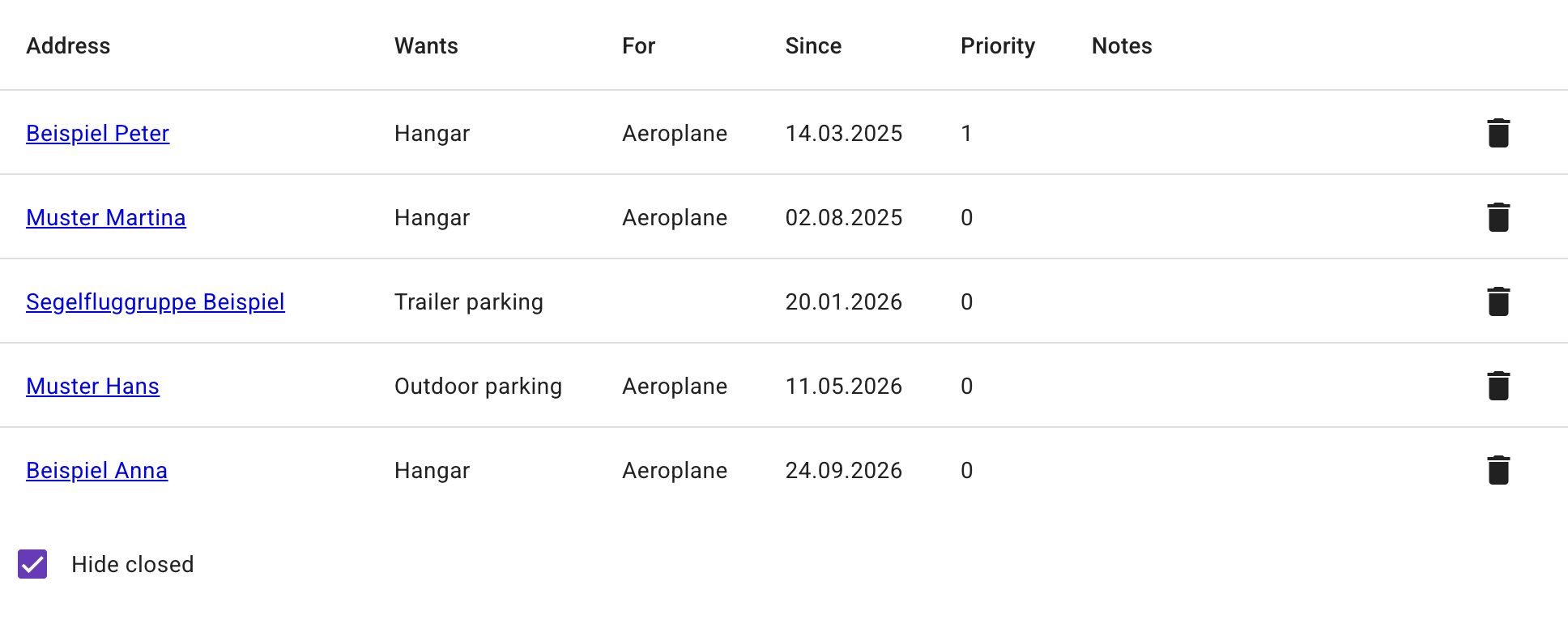
Who has wanted which kind of space since when, with priority. Once a matching space is assigned, the entry is done.
Statistics
Every movement counted and checked
The movements come from your recording program – as a file or every morning straight from the FlightBox. The app counts like the FOCA and shows what does not match.
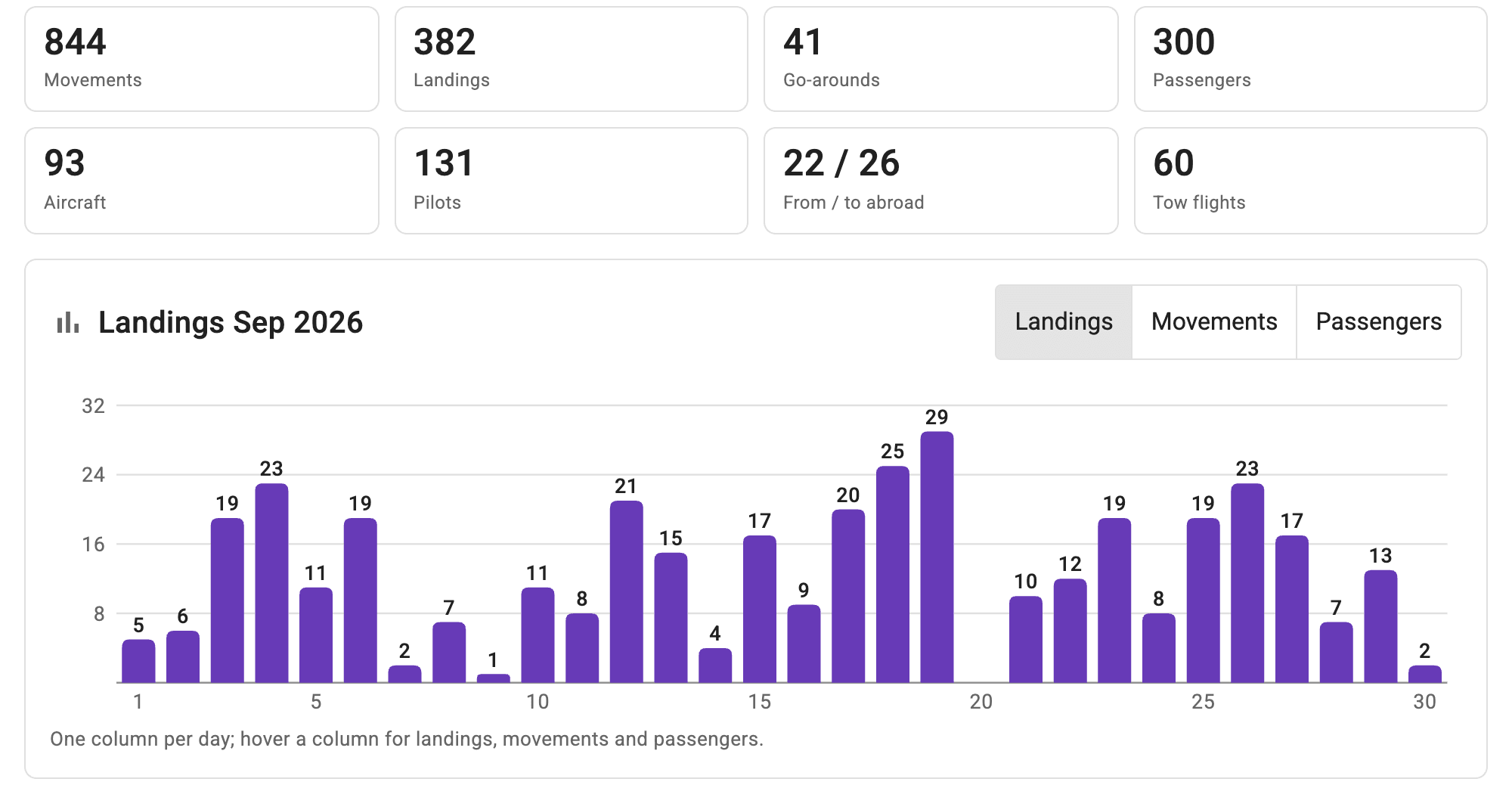
Month and year at a glance
Movements, landings, passengers, flights abroad and tow flights, with one column per day or per month. Plus the comparison across all years and the lists per aircraft and per pilot.
- Previous years from the movement lists sent to the FOCA
- Statistics on every aircraft and every address
- Annual report as PDF, closed with your signature
Checks
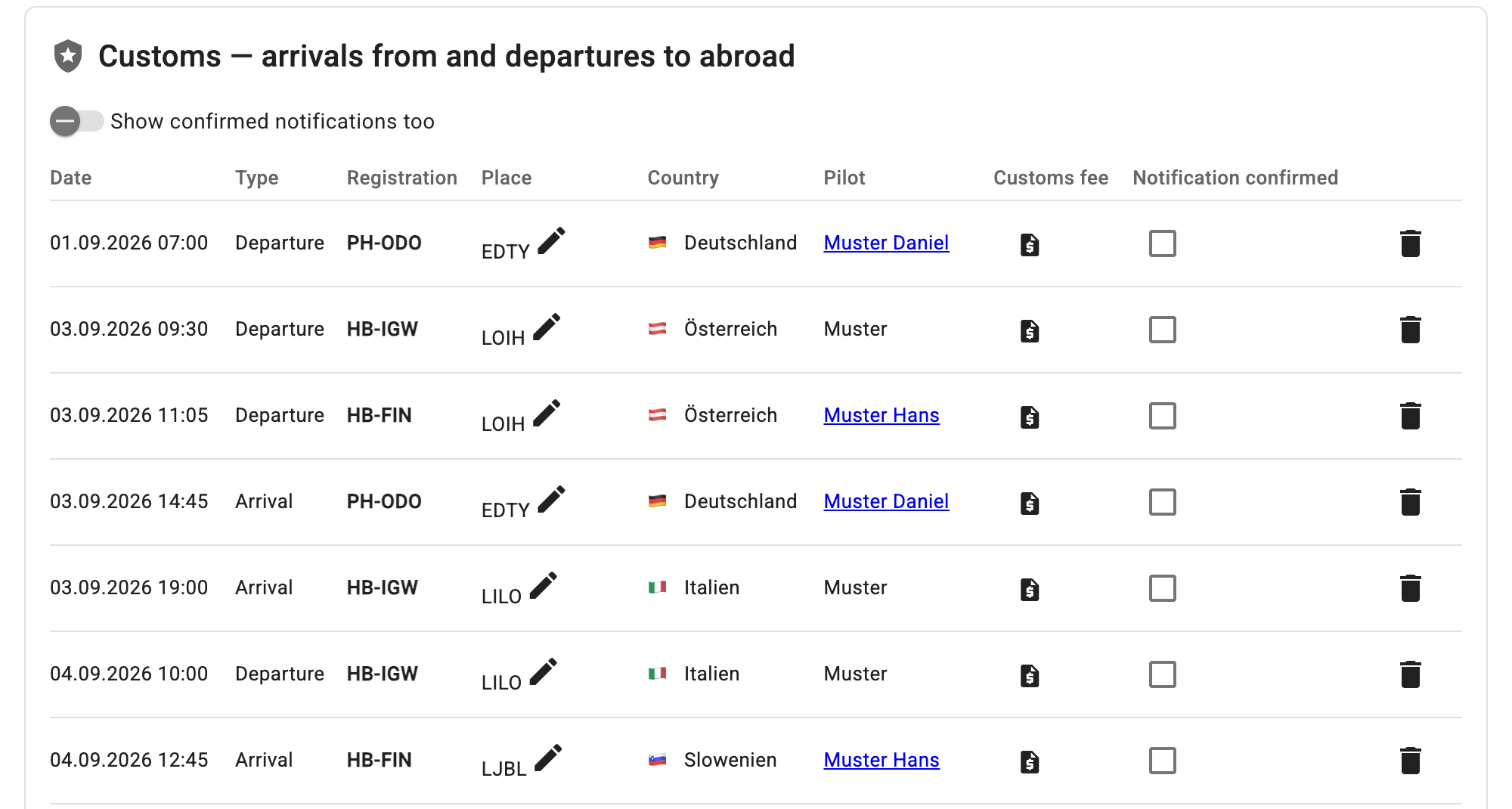
Flights abroad without a confirmed customs notification, pilots without an address, aircraft without an owner or with a different maximum take-off mass: each list names the one action for it. One click assigns or creates.
- Request the customs fee straight from the row (Payments module)
- Every correction is in the audit log
Drones
Check drone requests against the flight paths
Drone pilots register their operation through the form on your website or in the drone portal. The app checks every request against the flight paths around the aerodrome.
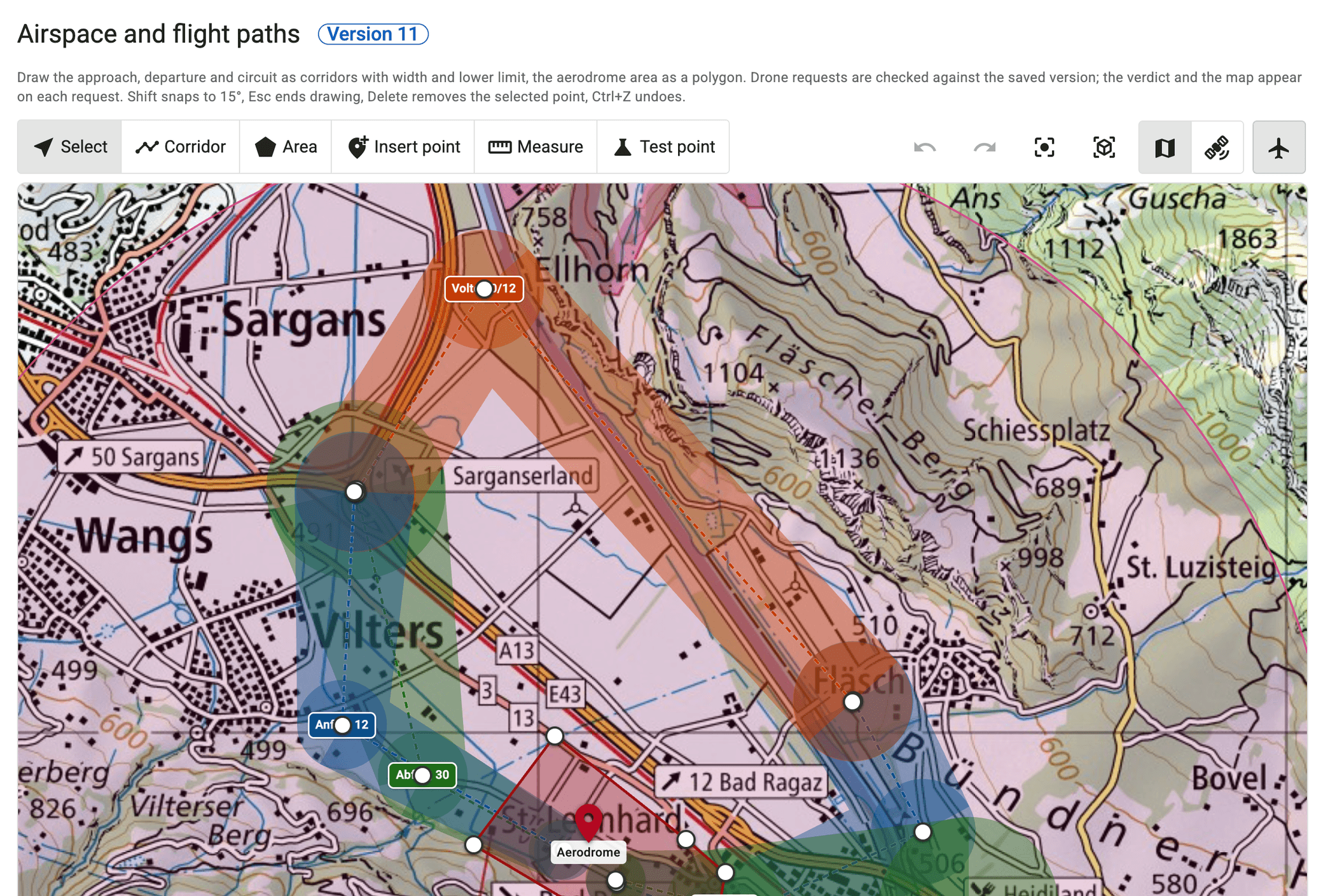
Airspace editor
On the national map you draw the corridors for approach, departure and circuit – with width and lower limit at every vertex. The test point shows at once what a request at this spot would result in.
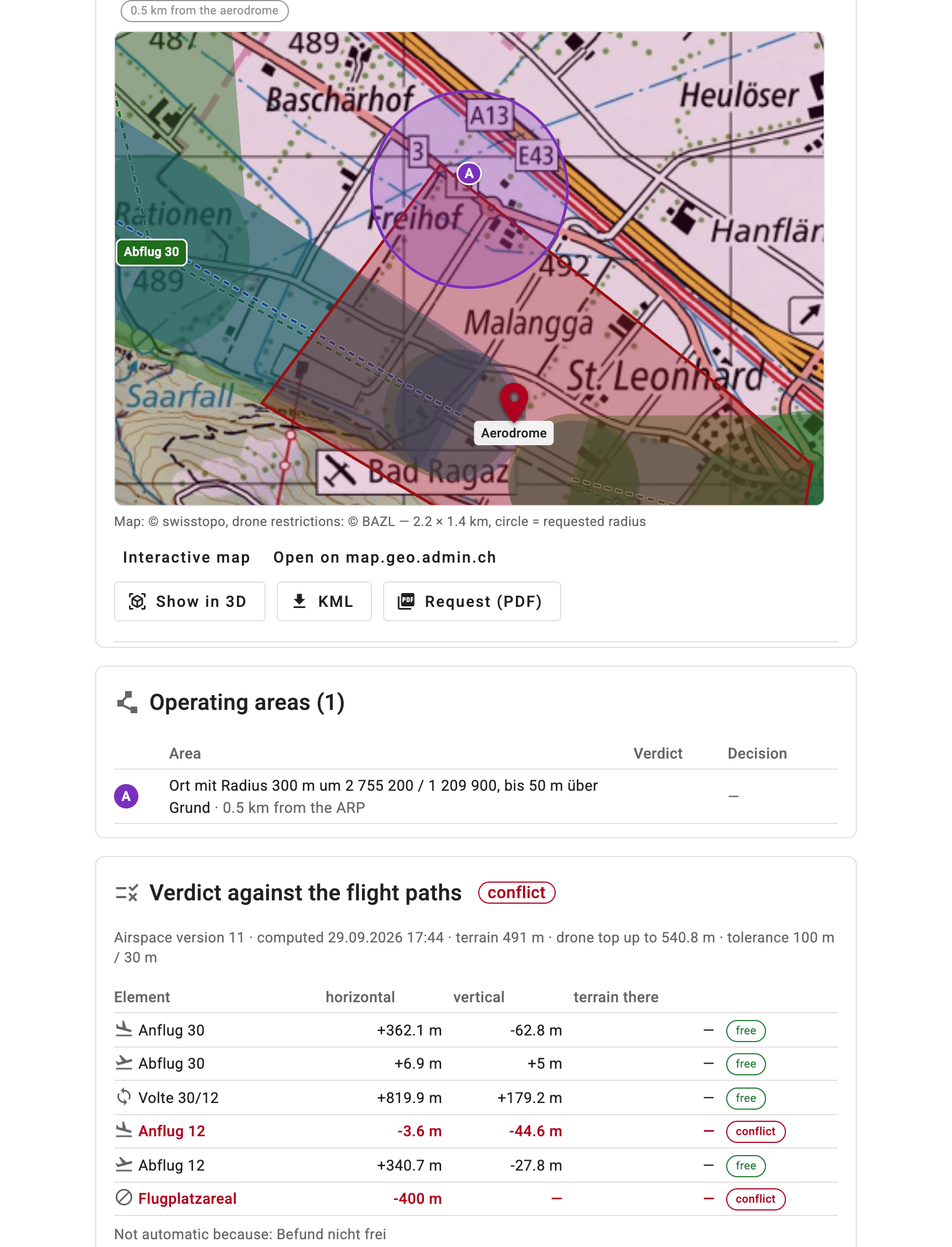
A finding for every request
Location, radius and height above ground are on the map. The finding states the lateral and vertical distance to each corridor: clear or conflict.
- Map of the location with the FOCA drone zones
- Approval with conditions by e-mail
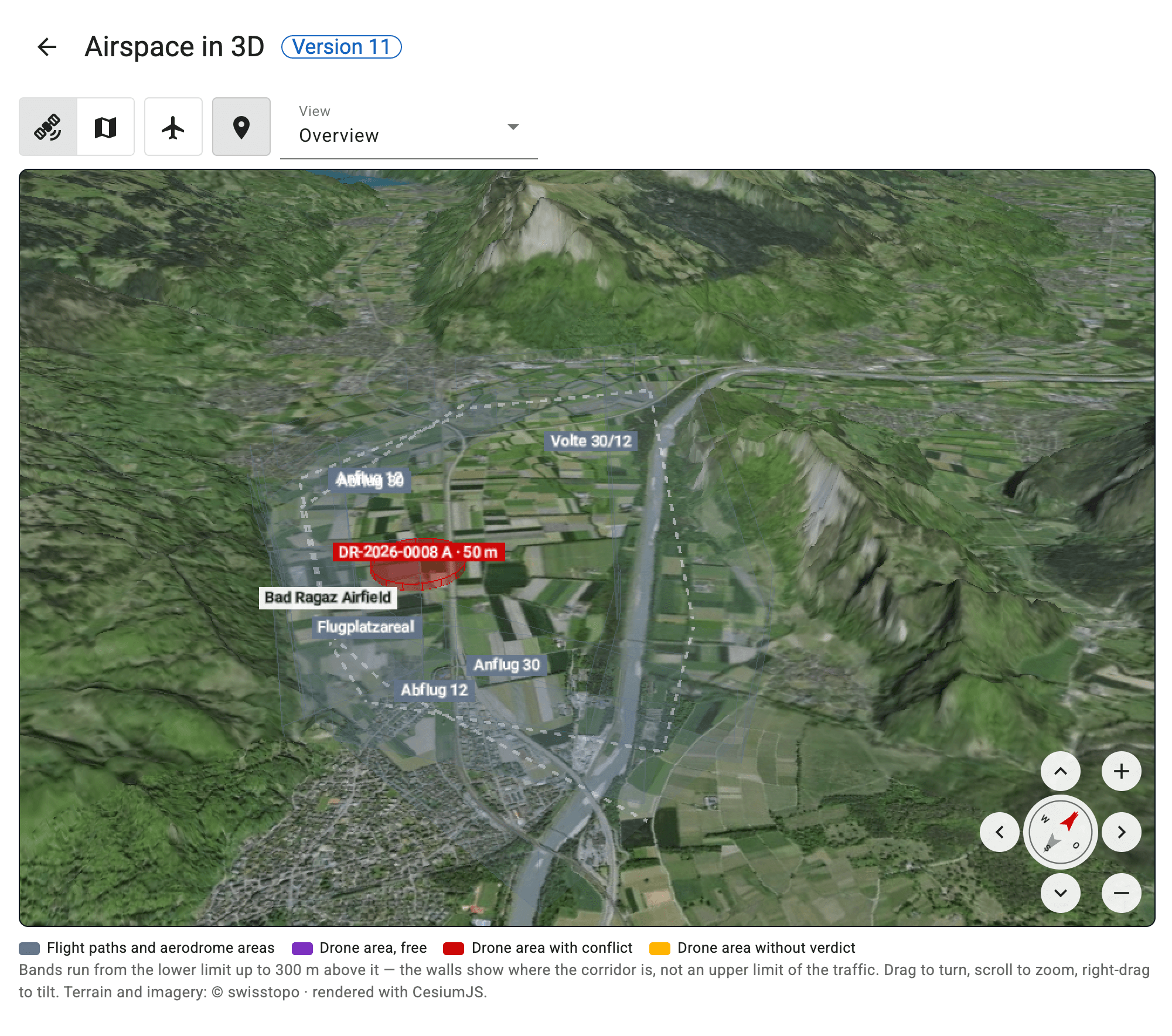
Airspace in 3D
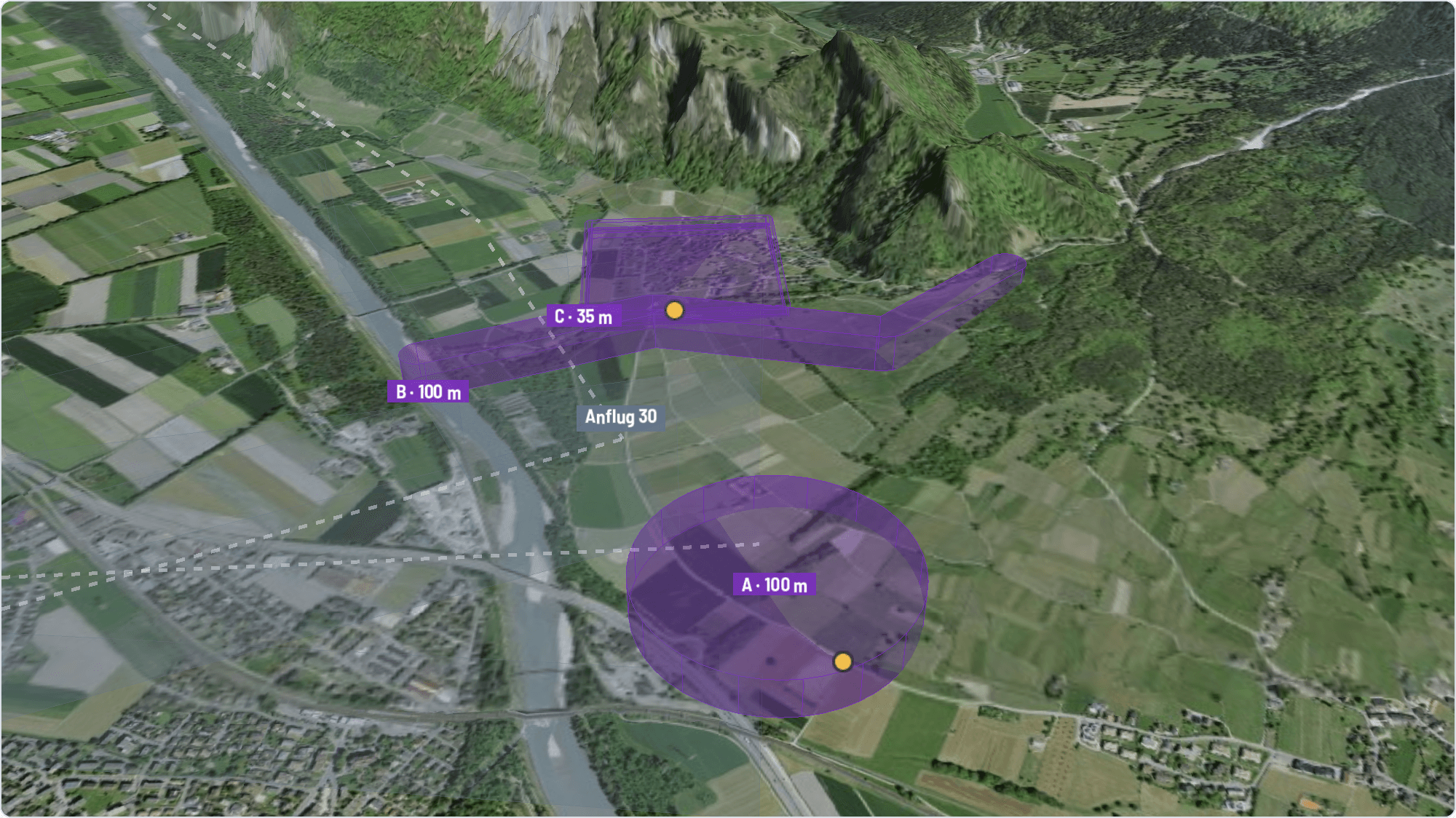
The corridors as bands above the terrain, the request as a cylinder at its location. You see at a glance how close drone and aircraft get.
Drone portal
Drone pilots file their own requests
In the drone portal, drone pilots and companies enter their details once and file their requests with every connected aerodrome – with their own account or once as a guest. You receive a complete request with areas, heights and assessment. The portal is currently in German.
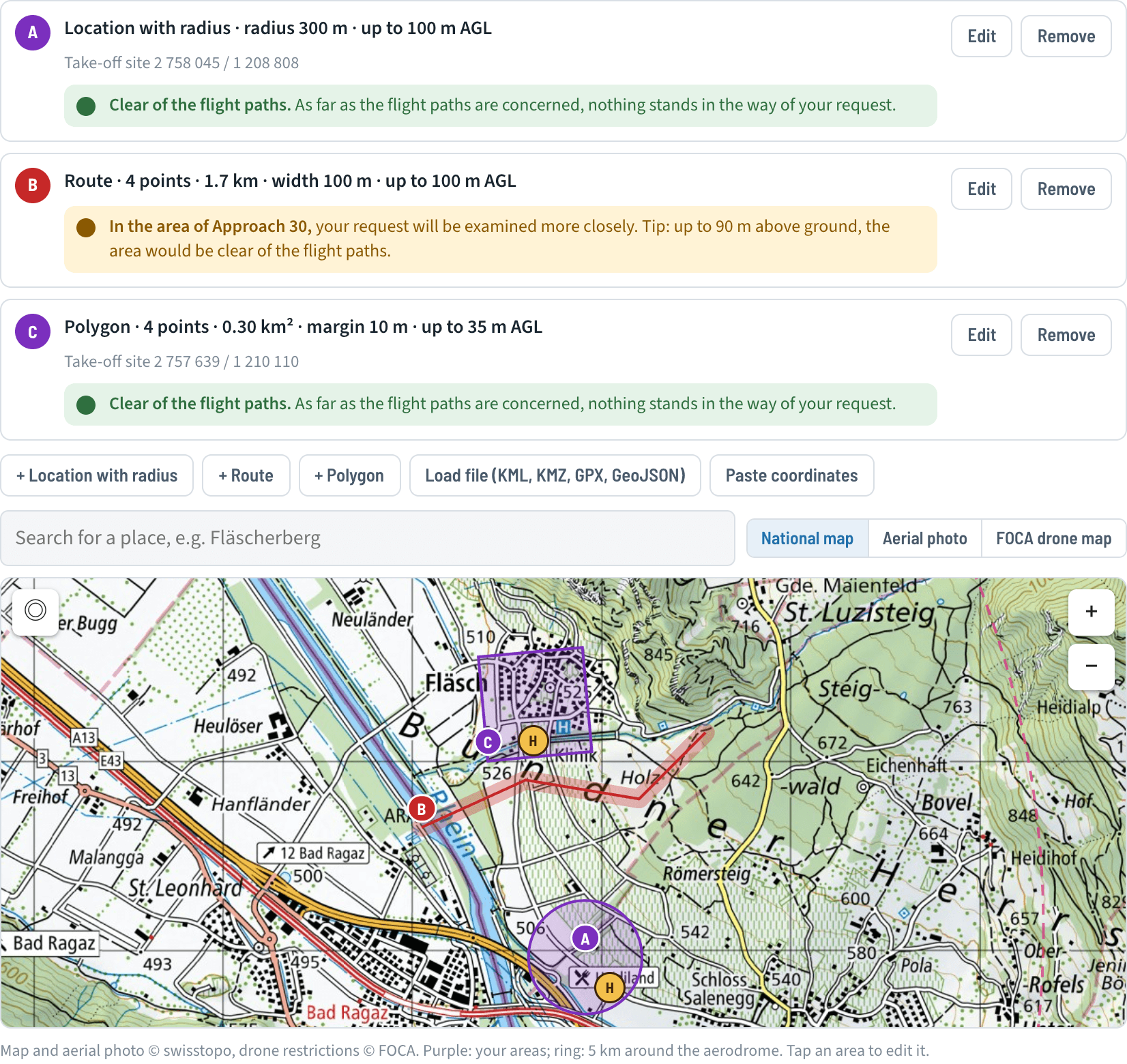
Draw the areas yourself
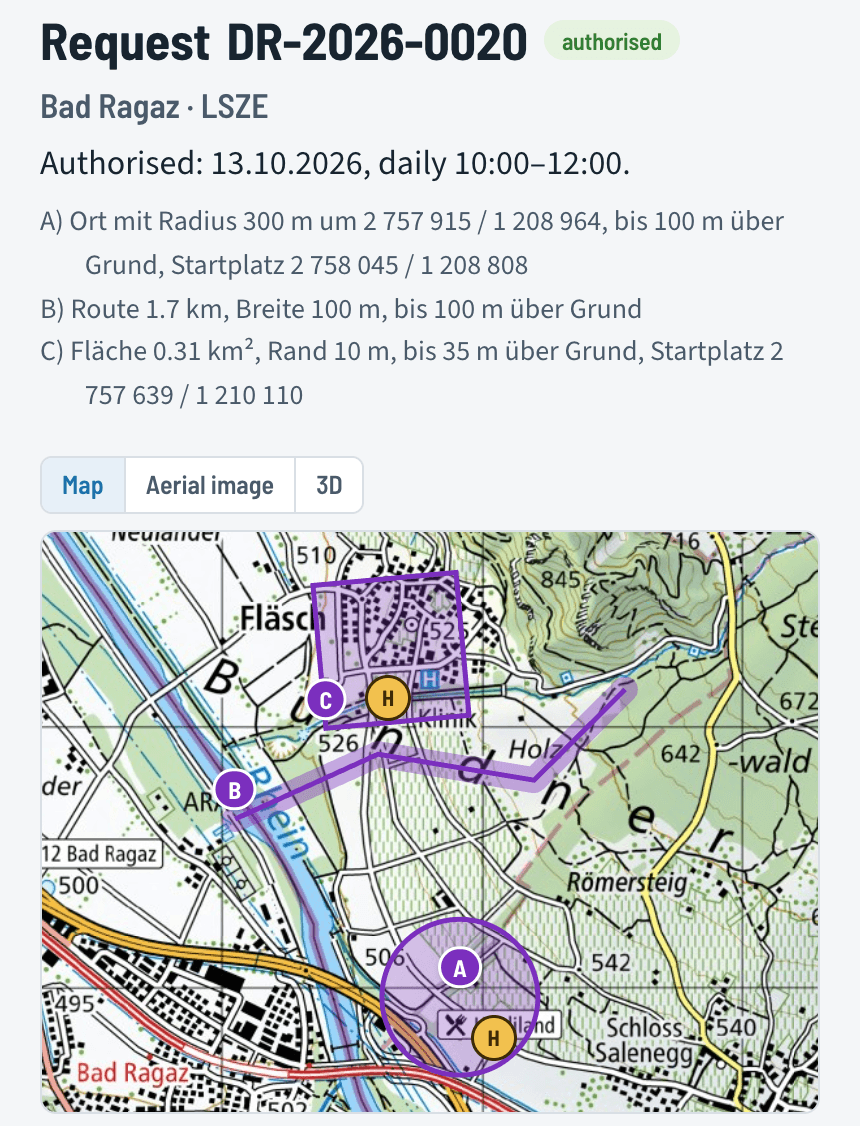
Location with radius, route or area – right on the national map, from a KML, GPX or GeoJSON file or as coordinates. While drawing, a traffic light per area shows whether it touches the aerodrome's flight paths and names the height up to which it would be clear.
- Drones, pilots and areas saved in the account
- New request based on an earlier one
All requests in one place
In their account – on the phone, too – pilots see every request with status, period and the approved areas on the national map or the aerial image. Request and approval are available as PDF, the areas as KML. If someone else flies, they change the pilot themselves.
Approved areas in 3D
Terrain and aerial image, the areas up to the approved height above ground and the aerodrome's flight paths in grey. Before take-off the pilot sees where they may fly – and where the aircraft are.
Connected are the aerodromes that handle their drone requests with Aerodrome Helper.
Payments
Customs fee paid by link
The app sends the pilot a payment link. They pay with TWINT or card, the money goes straight to the aerodrome's account – and you see who has paid.
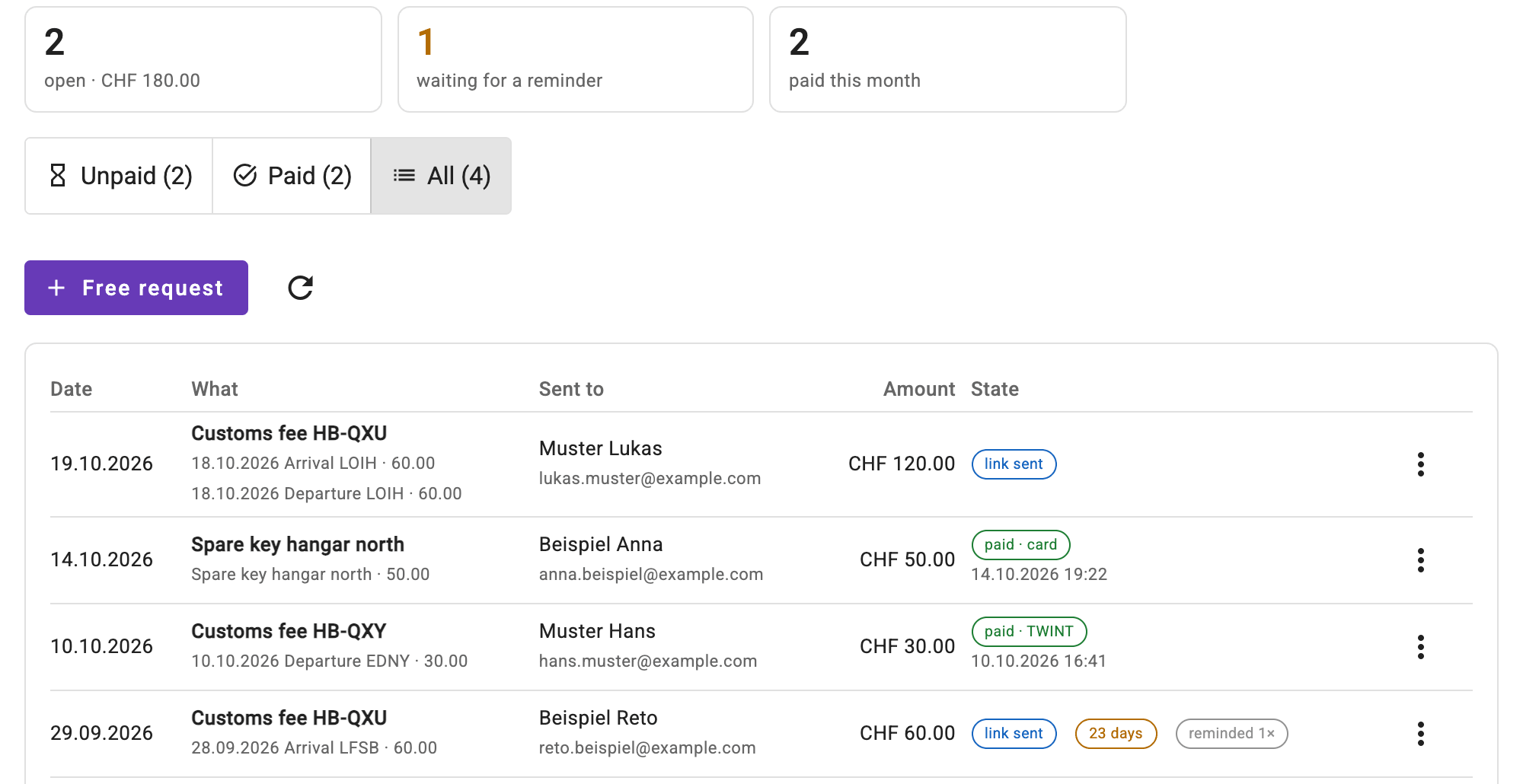
Sent, paid, reminded
The customs fee from the customs list or a free request with your own items, with your own text. As soon as the payment arrives, it shows as paid. Anything open longer than your deadline is marked; the reminder goes out with one click.
- Payment via Stripe straight to the aerodrome's account
- Push message when a payment arrives
- No invoice, no cash book – the accounting stays with you
Working time
Timesheet and to-dos of the aerodrome management
Whoever works for the aerodrome records their time in a few seconds, on the phone too, and submits the month as a timesheet. Tasks with a due date and repetition are no longer forgotten.
Working time and expenses
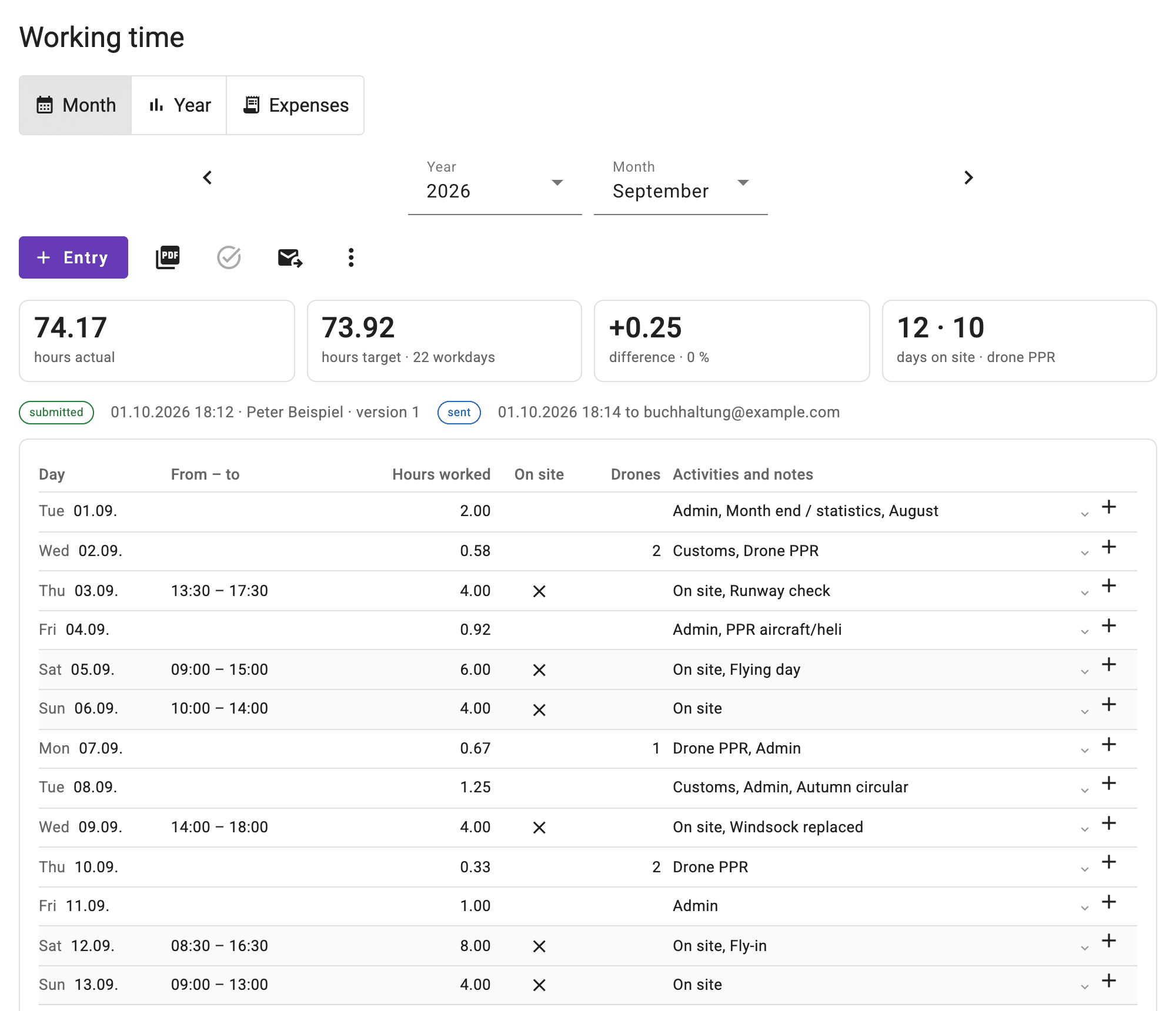
Tap the activity, the usual duration is already there. The month shows day by day the hours, the days on site and the drone requests, with target and actual according to your workload.
- Monthly timesheet as PDF with signature, by e-mail to the accounting
- Expenses with a photo of the receipt, collected into a claim
- Drone request answered, time booked right away
Tasks
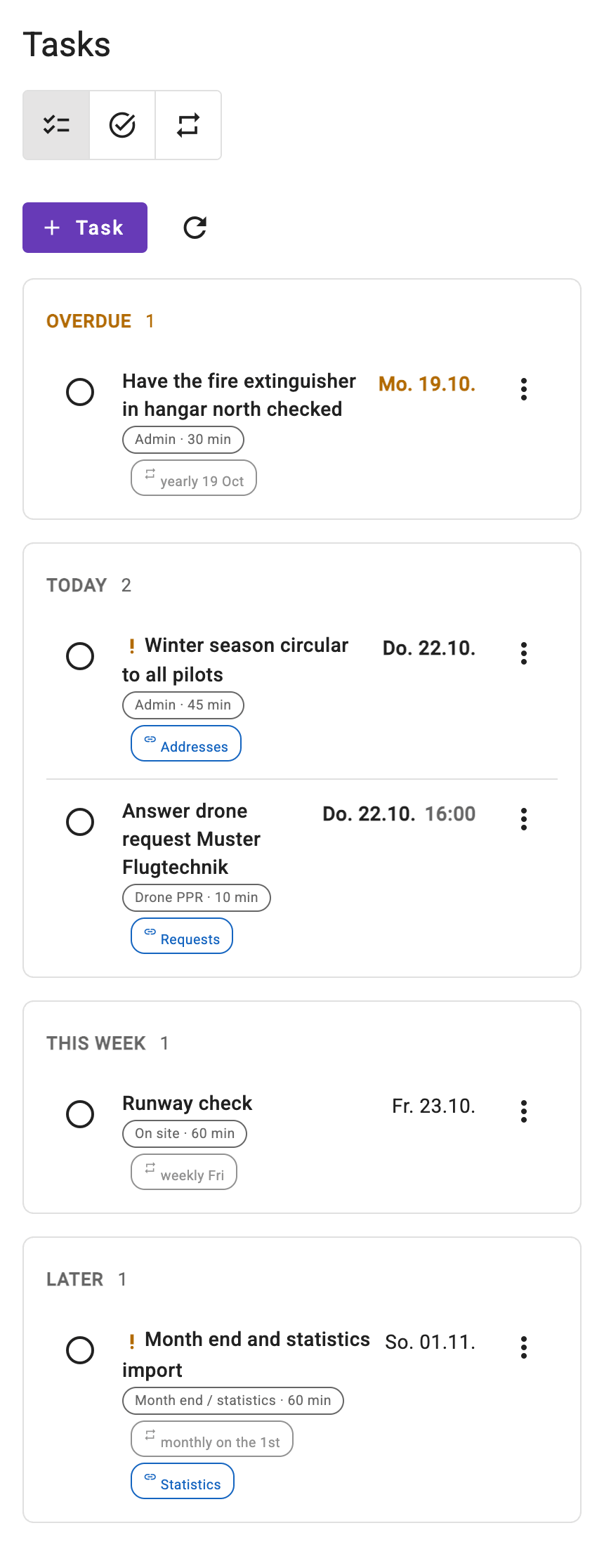
Everything that has to be done by a date – once or as a series, weekly, monthly or yearly. In the morning a push message reminds you of what is due; when you tick a task off, the time is booked with one click.
Interested?
You manage an aerodrome and would like to get to know Aerodrome Helper? Write to us.
Fly4Fun GmbH · Gässli 5 · CH-7307 Jenins